Showing posts with label Zero Email Bounce. Show all posts
December 01, 2008

Email is Broke; Responding with Zero Email Bounce

Email, back when it worked, was over rated. Now email is broken. When it worked, email was good for exchanging hard data - "arriving 2pm on USAir Flight 2345 from Boston, meet me at baggage claim" is a good email message. Email is also good for imperative communication (orders): "Fire Jones. Hire Baker. More cowbell!"

Email was never good for discussion, negotiation, evaluation, or conversation. Tone of voice and all the non-text cues are lost. Subtlety is gone. Misunderstandings abound. There's no added value in communication when you're emailing, and that's a great loss; communication should always add value.

And there's the perverse utility of email; it's so easy and fast to send an email, a lot of emails are sent with errors or unwise messages. Used to be you'd write (dictate? ancient!) a memo, and your boss would review it, and the secretary would check it for real, and often somebody would come up to you and say, "Uhh, did you really mean to say this?" There's no safety net in email. Email lets you make bigger and faster mistakes.

Now, email (which was supposed to be an efficiency and productivity tool, remember that promise?) is broken. It's a stream of offers for bogus pharmaceuticals and charming letters from Nigerian officials. Spam filters try to keep out the trash, but every now and then they also delete a client's note. So we spend time taking the trash out of the messages we do receive, and looking for treasures in the SPAM folders.

And if and when we do become focused, maybe with the DoNotDisturb button on our phones engaged, the email rings a bell and says "you've got mail!", except it's probably a smooth corporate sounding little tone that's every bit as effective at distracting you from whatever thought you were almost about to have. Email means anybody with a mouse can interrupt you, and these days there's an awful lot of people who can send you email and interrupt you.

Most obvious indication that email is broken? The younger Adepts doesn't use it nearly as much as the Geezers do. They're IM'ing and Twittering. They've moved on.

But email is here, it's established, and it's not going away. What's the response? Damage control to minimize the loss - they call it Zero Email Bounce (ZEB).

The ZEB concept, which is a sub-memo of the Get Things Done (GTD) school, says that if the world is delivering a flow to your mailbox, the only way to not be behind is to make your Inbox empty once a day by working the messages quickly and performing a sort of digital triage. If your mailbox has last week's junk in it, you'll keep working the trash and it'll suck up your time. Keep moving things out of your inbox until you bounce against the bottom of it. Empty Inbox = Zero Email Bounce.

Getting to ZEB doesn't mean you've done everything your email stream demands, it just means that you've categorized your messages and know where they are. At one point in the day, they're all either deleted, delegated, responded to, defered, or done.

The slideshow below, which was given by Merlin Mann for Google, says that since Time and Attention are Finite, and the inbound email stream is InFinite, only a disciplined approach will keep our time and attention from being overwhelmed by email. ZEB offers options to be deployed when you decide to go through your email: Delete (the best), Delegate, Respond, Defer, Do (next-best).

  • Can you Delete it? (this is a liberating question)
  • Is it more appropriate for you or somebody else? Somebody else= Delegate
  • Is it a simple request you can complete with a quick response? Respond.
  • Can you Do it in two minutes or less? Do it. Doing is good.
  • More than two minutes? Defer it. Schedule it, file it, let it wait.


I've found that my Respond technique is "delete-and-call" a lot more now; it's good to break through the mail-tag and speak to a real person. It's also worth noting that the ZEB folks treat email as a decision; they choose when to go through the email, rather than letting the "you've got mail" sound interrupt their attention.

Here's Merlin Mann's slideshow. His presentation style relies on the speaker's words, so they slideshow isn't a complete essay, but the notion is in there. Anybody wants to email me, click here. Sigh.


November 02, 2008

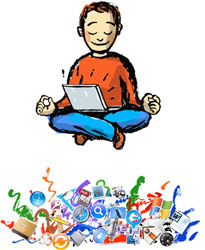
Computer Hacks and ZenWare

This continues on the subject of trying to get on top of my computers/phones/office/schedule/life by applying a hacker mentality to daily challenges. One of the first things I wanted to improve was my computer(s) and the way I use them. I spend a lot of time with computers - I'm good at them, I can generally get them to do what I want, but like any tool they're two-sided. I love them, I hate them. I love them because when the stars align you can do the work of a research team, graphics studio, and print shop in five hours in your basement. I hate them because sometimes I spend two hours in front of one, and I do a lot of clicking but I'm not sure I've really accomplished anything.

An article in Slate advocates Zenware, software to calm the demanding beast that too often our computers become. We bought them as efficiency devices to help us, right, not attention masters to suck the minutes out of our dwindling lives, right?

The change I made immediately was to shut off the little noises that signal the arrival of an email. Just because somebody somewhere has a mouse and my email address doesn't really qualify them for interrupting what I'm doing.

The Slate article took me to a page on LifeHacker, Top 10 Distraction Preventers, and I found a few zenware applications that I've made use of.

Dropcloth darkens the desktop so that the only thing that catches your eye and attention is the application you're working on; other open windows hang behind the dropcloth. I love this. Swept Away minimizes windows after they haven't been used for five minutes. The combination of these two applications leaves me with a computer screen that prioritizes what I'm working on, and minimizes distractions.

I installed Firefox on my work machine (which I've always used on my own machines) even though it's against corporate policy. I installed FastDial, ColorFul Tabs, and FireTune.

FastDial gives you a page of large icons representing the websites you visit most, it's a sort of non-hierarchical bookmarks that serves as your home page. Click the icon, the webpage opens in another tab. I love tabs. ColorFul Tabs assigns different colors to those tabs. FireTune tunes up your Firefox to run faster. I really enjoy using Firefox with these tweaks.

I've been attempting to achieve Zero Email Bounce (ZEB), which means : no clutter in your email inbox. No emails in your email inbox. You get an email, you've got the Four D's: you Do It, you Delete it, you Defer it, or you Delegate It. At midday and the end of your day, your email box is supposed to be empty.

I've done this on both my work and personal computers. I have folders for OpenItems, ToDos, OnHolds, Ticklers, etc. When my email comes in to my Inbox, I make the 4D Decision - Do, Delete, Defer, Delegate - and I follow up by acting or filing the email. Once it's put in the folders, it's not finished, it's just categorized. The Inbox is the repository of the Great Unknown, and if it's empty I've got no surprises.

Since I've got caught up on the email, I've noted that I'm making two new responses more and more - I'm deciding "No, I'm not doing that" and just deleting nonsense tasks (not rudely, but often with a quick email) and I'm also deciding more often to break out of the email treadmill, call the person on the phone and find out what's really going on, and get the damn thing done. Email is good, but conversation is better.

I've been saving documents - spreadsheets, programs, word docs, powerpoints - with smarter filenames that include a date-time-group, so there'll be a file called 080925-final-budget-plan-FY09.xls, which makes it easier for me to "find" files by ersatz keyword searching on the filenames. I need to find a better way to structure and search electronic documents, and also my paper files.