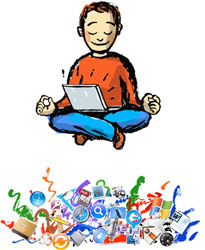
 An article in Slate advocates Zenware, software to calm the demanding beast that too often our computers become. We bought them as efficiency devices to help us, right, not attention masters to suck the minutes out of our dwindling lives, right?
The change I made immediately was to shut off the little noises that signal the arrival of an email. Just because somebody somewhere has a mouse and my email address doesn't really qualify them for interrupting what I'm doing.
The Slate article took me to a page on LifeHacker, Top 10 Distraction Preventers, and I found a few zenware applications that I've made use of.
Dropcloth darkens the desktop so that the only thing that catches your eye and attention is the application you're working on; other open windows hang behind the dropcloth. I love this. Swept Away minimizes windows after they haven't been used for five minutes. The combination of these two applications leaves me with a computer screen that prioritizes what I'm working on, and minimizes distractions.
I installed Firefox on my work machine (which I've always used on my own machines) even though it's against corporate policy. I installed FastDial, ColorFul Tabs, and FireTune.
FastDial gives you a page of large icons representing the websites you visit most, it's a sort of non-hierarchical bookmarks that serves as your home page. Click the icon, the webpage opens in another tab. I love tabs. ColorFul Tabs assigns different colors to those tabs. FireTune tunes up your Firefox to run faster. I really enjoy using Firefox with these tweaks.
I've been attempting to achieve Zero Email Bounce (ZEB), which means : no clutter in your email inbox. No emails in your email inbox. You get an email, you've got the Four D's: you Do It, you Delete it, you Defer it, or you Delegate It. At midday and the end of your day, your email box is supposed to be empty.
I've done this on both my work and personal computers. I have folders for OpenItems, ToDos, OnHolds, Ticklers, etc. When my email comes in to my Inbox, I make the 4D Decision - Do, Delete, Defer, Delegate - and I follow up by acting or filing the email. Once it's put in the folders, it's not finished, it's just categorized. The Inbox is the repository of the Great Unknown, and if it's empty I've got no surprises.
Since I've got caught up on the email, I've noted that I'm making two new responses more and more - I'm deciding "No, I'm not doing that" and just deleting nonsense tasks (not rudely, but often with a quick email) and I'm also deciding more often to break out of the email treadmill, call the person on the phone and find out what's really going on, and get the damn thing done. Email is good, but conversation is better.
I've been saving documents - spreadsheets, programs, word docs, powerpoints - with smarter filenames that include a date-time-group, so there'll be a file called 080925-final-budget-plan-FY09.xls, which makes it easier for me to "find" files by ersatz keyword searching on the filenames. I need to find a better way to structure and search electronic documents, and also my paper files.


 Posts

